Account help
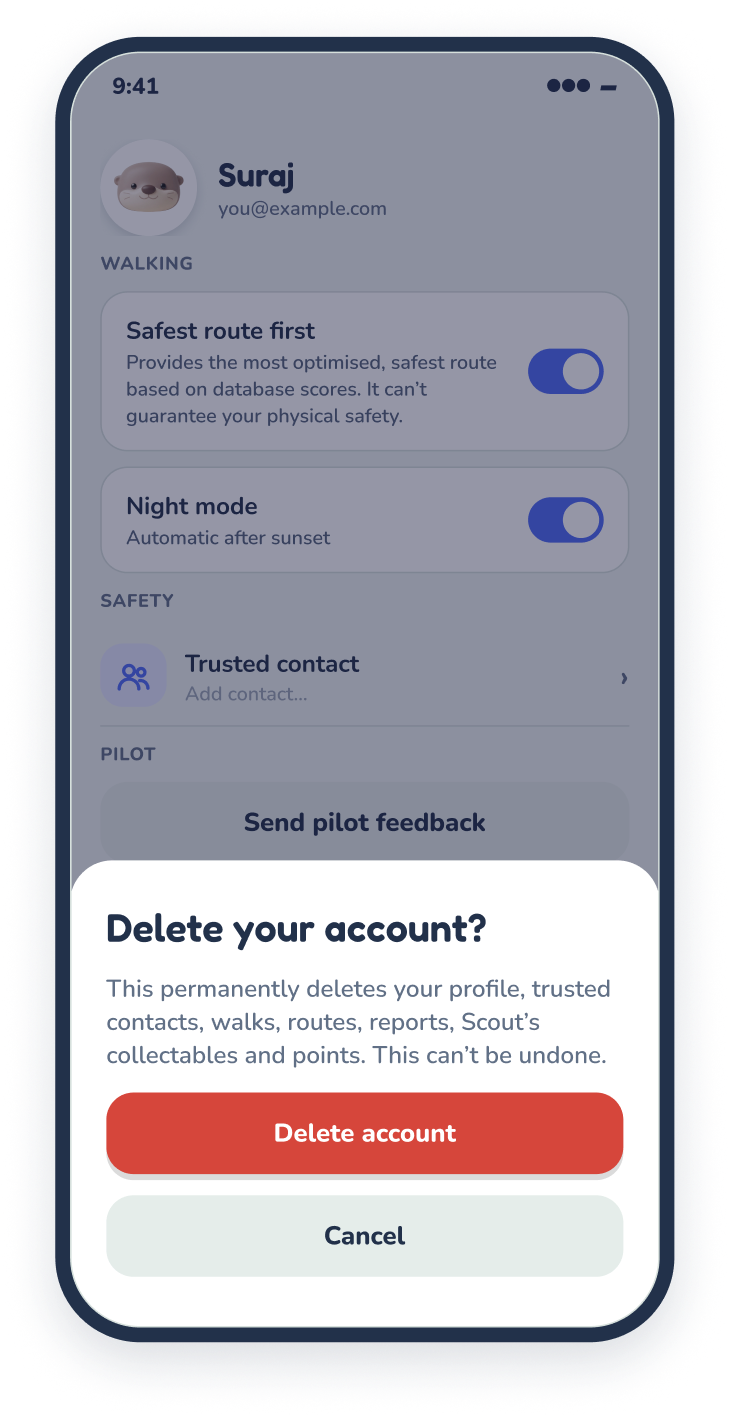
Delete your OtterWay account
You can delete your account and all its data at any time.

In the app
- Open OtterWay and go to Profile.
- Tap Delete account at the bottom, below Sign out.
- Enter the 6-digit code we email you. Your account is deleted straight away, and we email you to confirm.
Can’t open the app?
Email us from the address you signed up with, using the subject “Delete my OtterWay account”. We’ll delete it within 7 days and confirm by email.
Email hello@theotterway.appWhat gets deleted
- Profile
- Name
- Trusted contacts
- Walks and ratings
- Trusted routes
- Favourite places
- Reports
- Report photos
- Devices
- Data downloads
Backups are cleared within 30 days. We don’t keep anything linked to you afterwards. Route scores that walkers have helped improve stay in the app, but they can’t be traced back to you.
Subscribed to Pathfinder? Deleting your account doesn’t cancel it. Cancel first in your App Store or Google Play subscription settings.
Signed up for the beta on this website? Use the Unsubscribe link in any beta email, or email us, and we’ll delete your email within 30 days. Read more in our privacy policy.